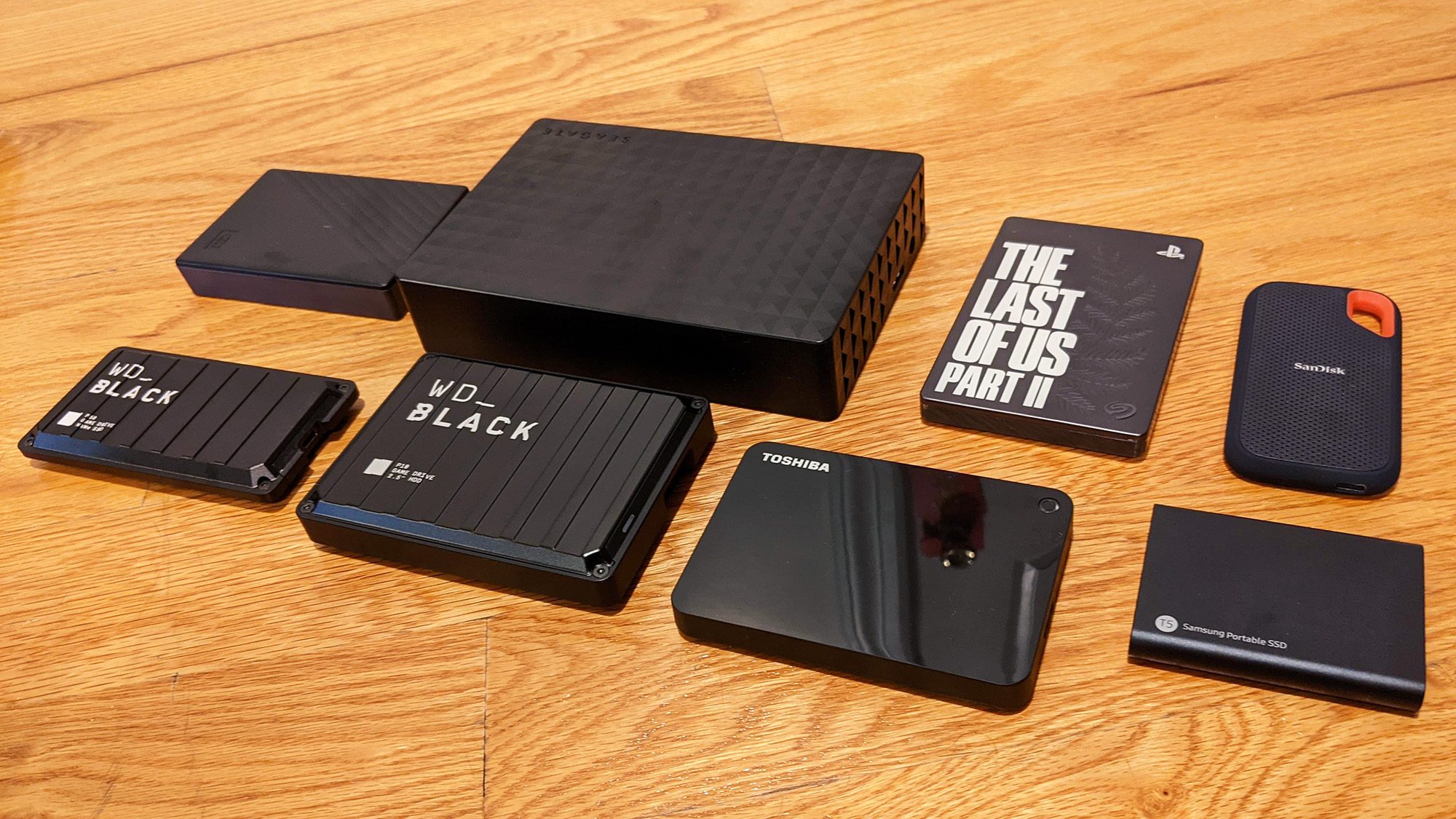
When it comes to expanding your console’s storage, a ps5 external ssd offers a convenient solution, but how does it actually compare to the PS5’s built-in internal storage? Many gamers wonder if using an external drive can match the speed, performance, and overall gaming experience of the internal option. In this article, we’ll break down the difference between PS5 external SSD and internal storage, helping you understand which setup works best for your gaming needs.
Understanding PS5 Internal Storage
The PS5 has a built-in ultra-fast NVMe SSD, which provides lightning-fast load times and smooth gameplay. PS5 games must be installed on this internal drive because it’s optimized for the console’s advanced data streaming and processing speeds.
The PS5 provides 825 GB of total storage, but only around 667 GB is usable for games and media because system files occupy the rest. Since modern games often range from 50–100 GB or more, this space can fill up very quickly.
To manage this limited space efficiently, you can:
- Install PS5 games on the internal SSD for maximum speed and performance.
- Expand with an M.2 SSD to increase internal storage while maintaining similar performance.
- Use an external SSD to store PS4 games or back up PS5 titles.
Limitations
- Usable Storage: The PS5’s SSD has a total of 825GB, but only around 667GB is available for games, with the remaining space reserved for system files.
- Expansion Needs: To add more storage, you must install an M.2 NVMe SSD in the PS5’s expansion slot. This requires opening the console and possibly adding a heatsink, making it more complex and costly.
The PS5’s internal SSD ensures fast, efficient gameplay, but adding extra storage options helps you manage your game library without sacrificing performance.
Understanding PS5 External SSD
A PS5 external SSD is a portable storage device that connects to your console through a USB 3.2 Gen2 port, allowing you to expand your storage space easily. It’s a great solution for gamers who need extra room for their games, media, and data. While PS5 games can’t be played directly from an external SSD, you can store them there to free up space on your internal drive and transfer them back when you want to play.
However, PS4 games can be played directly from the external SSD, benefiting from faster load times and smoother performance compared to traditional hard drives.
External SSDs are also compact, durable, and energy-efficient, making them convenient for both home and travel use. They’re ideal for backing up data, organizing your game library, and keeping your PS5’s internal storage optimized for high-performance gaming.
Common Uses
- Store PS4 Games: Play PS4 games directly from the external SSD, freeing up internal space for PS5 titles.
- Archive PS5 Games: Store PS5 games on the external SSD and transfer them back to the internal SSD when you want to play.
Limitations
- Cannot Play PS5 Games Directly: PS5 titles must be moved to the internal SSD first.
- Slower Speeds: Transfers are slower compared to the internal SSD, which may result in longer game installation times and slightly delayed loading during gameplay.
A PS5 external SSD is great for expanding storage, especially for PS4 games or archiving PS5 titles. For the best performance with PS5 games, consider upgrading your internal M.2 NVMe SSD.
Key Differences Between Internal and External SSD
When expanding your PS5 storage, understanding the differences between internal and external SSDs will help you choose the best option for your gaming needs.
1. Speed and Performance
- Internal SSD: Fully integrated with the PS5, delivering the fastest load times and smoothest gameplay.
- External SSD: Connected via USB 3.0 or higher, so transfer speeds are limited, resulting in slightly slower game access.
2. Game Compatibility
- Internal SSD: Supports both PS4 and PS5 games, playable directly without delays.
- External SSD: Can store PS5 games but cannot run them directly; PS5 titles must be moved back to the internal SSD to play.
3. Installation and Setup
- Internal SSD: Requires installation inside the console, checking compatibility, meeting speed requirements, and sometimes adding a heatsink.
- External SSD: External SSDs plug into the PS5 via USB, are easy to format, and provide fast, user-friendly storage for PS4 games and media.
4. Storage Expansion Flexibility
- Internal SSD: Permanent expansion integrated into the console.
- External SSD: Portable and usable on multiple consoles, letting you take your game library anywhere.
5. Cost and Convenience
- Internal SSD: Higher cost per GB but offers maximum speed and seamless integration, ideal for performance-focused gamers.
- External SSD: More budget-friendly and versatile, perfect for storing PS4 games or archiving PS5 titles.
Choose an internal SSD if you want the fastest load times and best performance for PS5 games. Use an external SSD if you need a portable, budget-friendly way to store PS4 games or PS5 titles you don’t play often.
Which Option Is Best for You?
Deciding between an internal and external SSD depends on your gaming habits, budget, and storage needs. Here’s a guide to help you choose:
Internal SSD: Best for Speed-Focused Gamers
- Ideal for:
- Gamers who play mainly PS5 titles and value fast load times.
- Those who want to store and play both PS4 and PS5 games directly from the drive.
- Advantages:
- Play PS5 games directly without transferring them back to internal storage.
- Fastest read/write speeds for smooth gameplay and quick load times.
- Permanent, seamless integration once installed.
- Considerations:
- Requires opening the PS5 for installation, possibly adding a heatsink.
- Higher cost per GB compared to external SSDs.
External SSD: Best for Casual Players & Extra Storage
- Ideal for:
- Casual gamers or those who need more space for PS4 games or backups.
- Gamers who want a portable way to store and move their games between different consoles.
- Advantages:
- Easy plug-and-play setup; no technical skills needed.
- More budget-friendly and versatile.
- Portable, usable on multiple devices.
- Considerations:
- Cannot play PS5 games directly; they must be moved to internal storage first.
- Slower transfer speeds compared to internal SSDs.
Recommended Setup
- Use an internal SSD for active PS5 games to enjoy maximum speed.
- Use an external SSD for backups, archived games, and PS4 titles to free up internal storage.
Conclusion: PS5 External SSD
A PS5 external SSD is an easy and affordable way to add more storage to your console. It works great for storing PS4 games, backing up PS5 games, and freeing up space on your internal SSD. While it’s not as fast as the internal SSD and can’t run PS5 games directly, it’s portable, simple to use, and very handy for managing a large game library. The best setup is to use the internal SSD for games you play often and the external SSD for extra storage and backups.