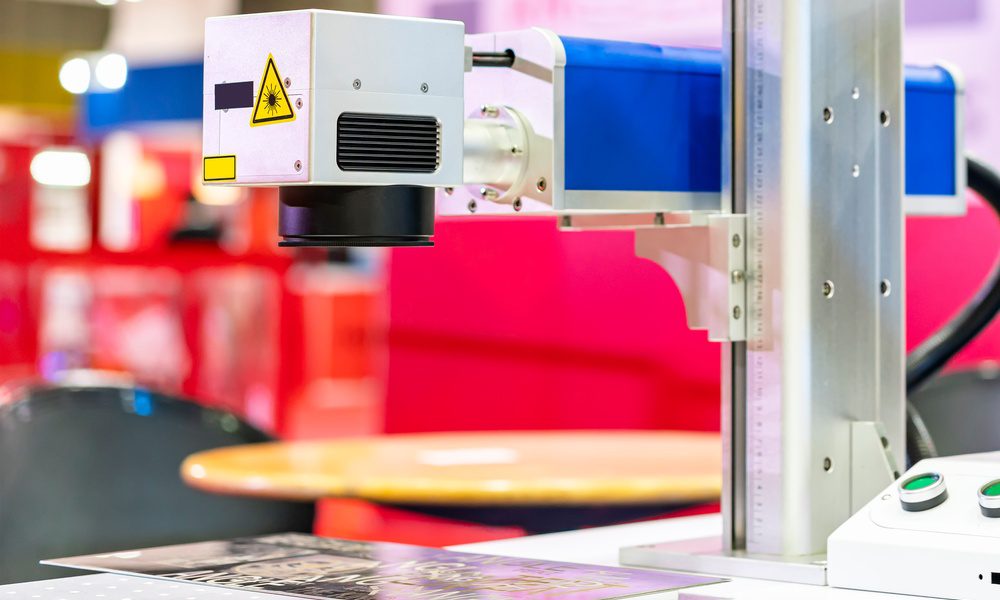
Laser marking can look simple from the outside. Push a button, make a mark, move to the next part. But the quality of that mark depends on a small group of settings that work together in precise ways.
If one setting is too high, too low, or out of balance with the material, the result can shift from clean and readable to messy and weak. Below, we’ll break down what you need to know about laser settings for laser marking machines.
Many people assume that more power always creates a better mark. In reality, power controls how much energy reaches the surface, and that can change contrast, depth, edge quality, and even heat impact.
A low power setting may leave a mark too light to read. A high power setting may burn the surface, spread heat into nearby material, or distort fine details. The right level depends on what you are marking and what finish you need. A stainless steel part, a coated surface, and a plastic component can all respond in different ways.
Speed does not stand alone. It changes the way power behaves on the surface. A slower pass gives the laser more time in one area, which increases the effect of the beam. A faster pass reduces dwell time and can lighten the mark.
That is why operators should treat speed and power as a pair. If you raise one, you may need to adjust the other. This balance matters when you need sharp text, scannable codes, or clean cosmetic marks. When the pair falls out of sync, you can end up with poor contrast, rough edges, or inconsistent results from one part to the next.
Another thing to know about laser settings for laser marking machines is that the material you’re marking should directly affect the setup. Metals, polymers, ceramics, and coated substrates all react in their own way. Even two materials that look similar can absorb energy differently.
One of the most common laser marking mistakes to avoid is marking the wrong material with the wrong settings. A setting that works on anodized aluminum may fail on bare steel. A plastic part may discolor before it marks cleanly. Teams that want stable quality should start with the material data, run test patterns, and document the winning setup.
Power and speed get the most attention, but frequency and focus also shape the result. Frequency influences pulse delivery, which can affect surface texture and mark definition. Focus controls where the beam performs best.
A machine that sits slightly out of focus can lose crispness fast. Small characters, fine lines, and barcode elements may blur or break apart. That is why experienced operators check focus before blaming the material or the machine itself. In many cases, better alignment solves the issue faster than bigger setting changes.
A laser marking machine can only perform as well as its setup allows. Once you understand how the settings interact, you can make better marks with less waste and more confidence.
Follow proven professional fence installation practices for accurate placement, lasting strength, and reliable performance from…
Compare natural and lab-grown diamond rings to understand differences in origin, price, appearance, and value…
A concert ticket can be more than a night out. Turn the trip into a…
These essential checks for your jet ski help improve reliability and reduce issues on the…
A reliable pickup truck will help you make the most of pumpkin patch season with…
Learn when a Canada Temporary Resident Permit may help overcome inadmissibility and support necessary travel.…